


3D work instructions for manufacturing
In manufacturing, work instructions routinely lag behind engineering. Blurry photos of cluttered workbenches, CAD screenshots that are one revision behind: the average work instruction is unclear and outdated before the first assembler even opens it. And when the design changes, manually updating instructions starts all over again. That takes time nobody has, and sooner or later something will go wrong. The result: operators guessing, assembly errors discovered too late, and engineers having to dive back into the instructions. With Baseboard's 3D work instructions, you link CAD directly to the production instruction, so engineering and production always stay in sync.
From CAD to work instruction without manual conversion
Baseboard recognizes your CAD items and automatically converts them into an MBOM. Once Baseboard knows which items are used in which process step, it also knows exactly what the operator needs to see. Does a revision change in engineering? Baseboard detects the version differences and automatically processes them in the corresponding work instructions. No Excel detour, no manually transferring bills of materials. The work planner reviews, approves, and publishes. Engineering and production always stay in sync, even for complex machines with hundreds of variants.
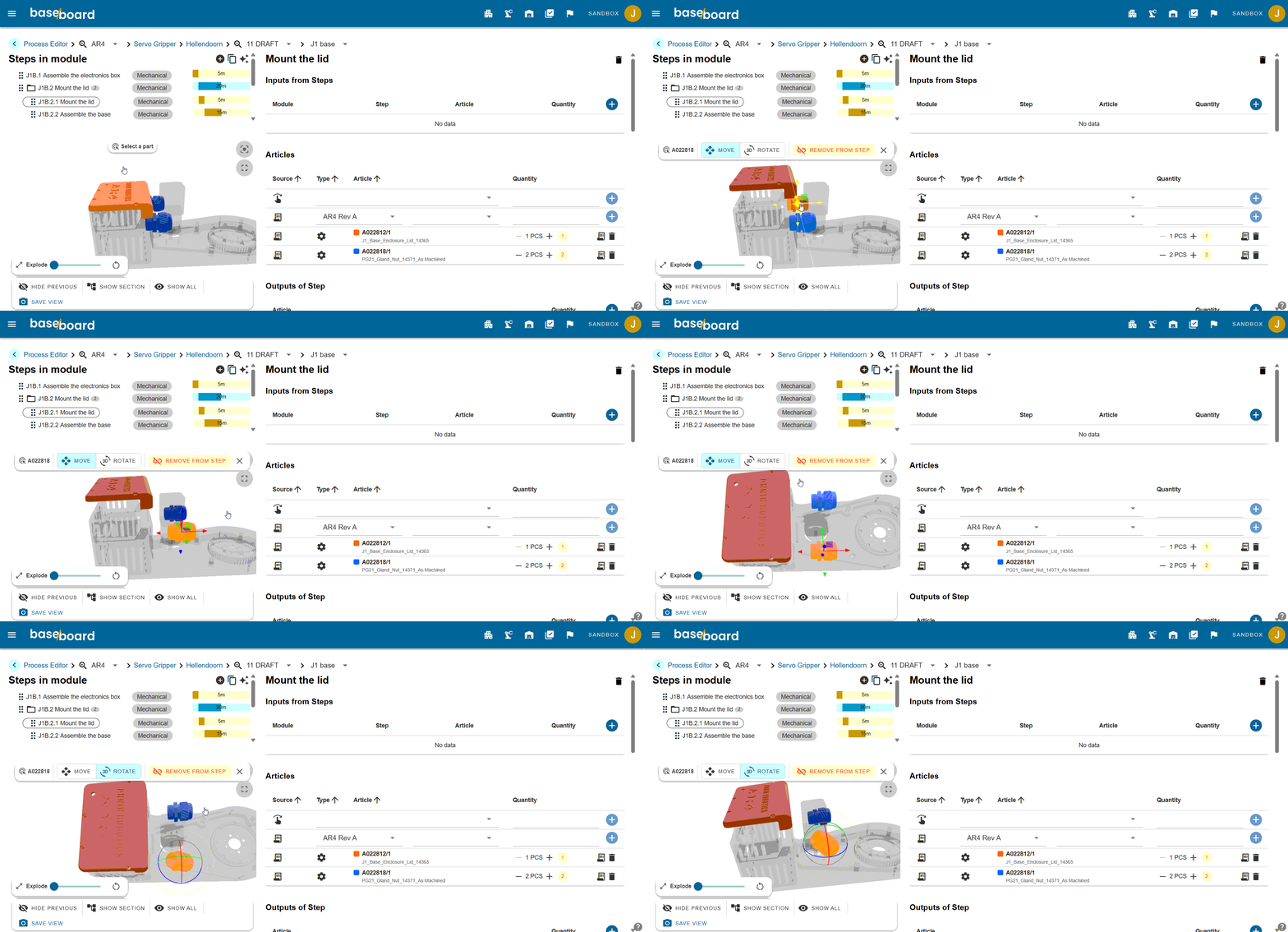

3D viewer in work instructions
Through the CAD link, the operator gets access to a product-specific 3D viewer, directly within the work instruction. Always up to date with the correct engineering revision for that specific order. The operator can rotate the model for additional context. This brings all information together in one place, without losing the link to engineering.
Also read how ChargeHyve digitalizes work instructions with Baseboard, or read more about capturing work instructions.
